
Deploy CockroachDB 24.x Multi-Region Clusters on Amsterdam and New York VPS: TLS, Global Tables & Follower Reads Tutorial (2025)

Introduction
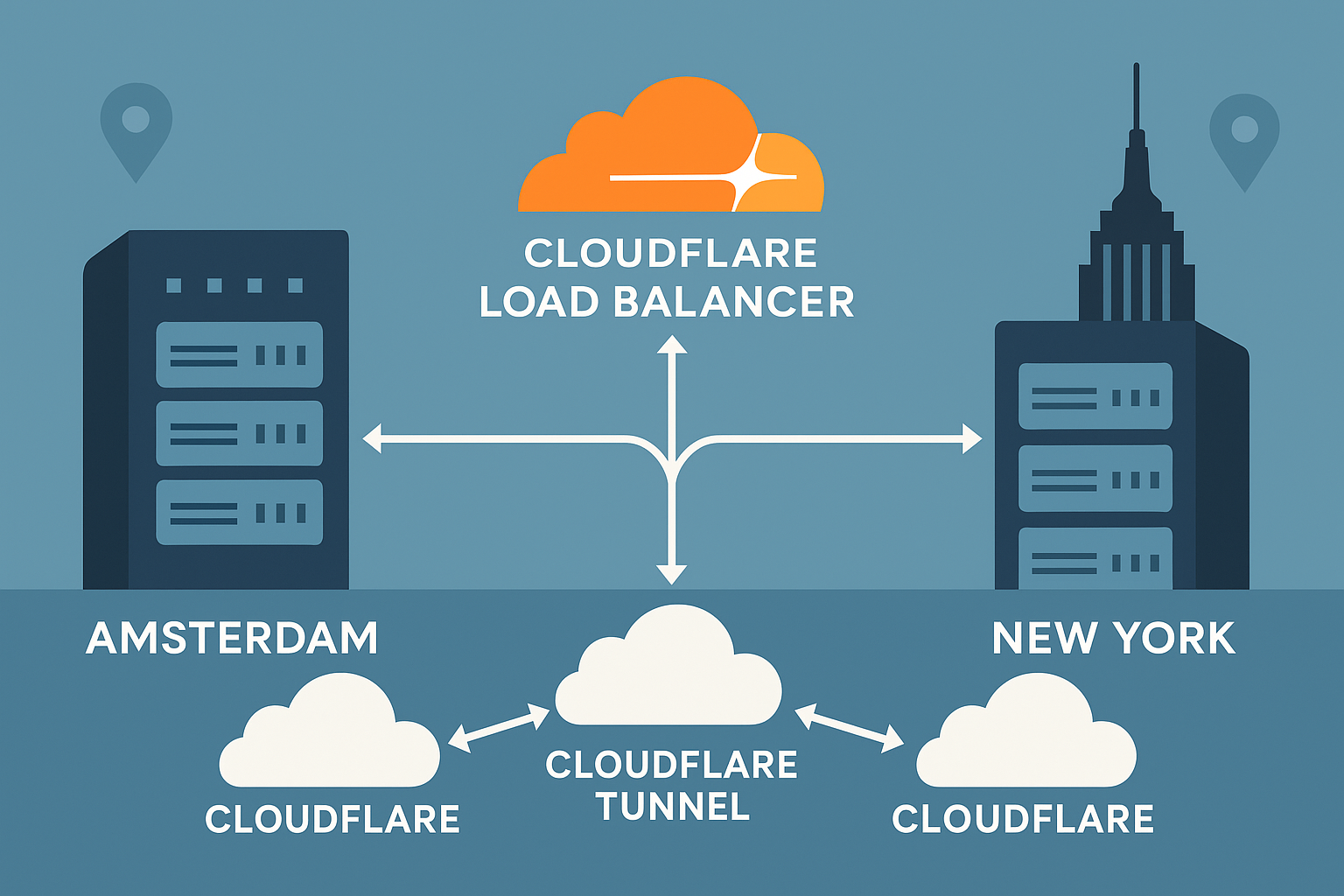
Building a globally distributed database architecture is challenging, but CockroachDB makes it possible with its strong consistency guarantees and automated multi-region capabilities. In this comprehensive tutorial, we’ll deploy a production-ready CockroachDB 24.x cluster across Amsterdam VPS and New York VPS locations.
You’ll learn to implement regional and global tables, configure follower reads for reduced latency, enable TLS encryption, and optimize performance across continents. This setup provides excellent coverage for European and North American users while maintaining ACID compliance and automatic failover.
By the end of this tutorial, you’ll have a robust distributed SQL database capable of handling global workloads with predictable performance characteristics and built-in resilience.
Prerequisites
Before starting this deployment, ensure you have:
- Three VPS instances: Two in Amsterdam, one in New York (minimum 4GB RAM, 2 vCPUs each)
- Ubuntu 24.04 LTS installed on all nodes
- Root access or sudo privileges
- Network connectivity between all regions (ports 26257, 8080)
- Domain names or static IPs for each node
- Basic Linux administration knowledge
- SSL certificates (Let’s Encrypt or self-signed for testing)
Resource Requirements:
- RAM: 4GB minimum, 8GB recommended per node
- Storage: 50GB+ NVMe SSD per node
- Network: Low-latency connections between regions
Step-by-Step Tutorial
Step 1: Install CockroachDB 24.x on All Nodes
Download and install CockroachDB 24.x on each VPS:
# Download CockroachDB 24.x binary
wget https://binaries.cockroachdb.com/cockroach-v24.3.0.linux-amd64.tgz
tar -xzf cockroach-v24.3.0.linux-amd64.tgz
sudo cp cockroach-v24.3.0.linux-amd64/cockroach /usr/local/bin/
sudo chmod +x /usr/local/bin/cockroach

# Verify installation
cockroach version
Create a dedicated user and directories:
# Create cockroach user
sudo useradd -r -s /bin/false cockroach

# Create data and certificate directories
sudo mkdir -p /var/lib/cockroach /etc/cockroach/certs /etc/cockroach/private
sudo chown cockroach:cockroach /var/lib/cockroach
sudo chown -R cockroach:cockroach /etc/cockroach
Step 2: Generate TLS Certificates
Generate the CA certificate on your first Amsterdam node:
# Generate CA certificate
cockroach cert create-ca \
  --certs-dir=/etc/cockroach/certs \
  --ca-key=/etc/cockroach/private/ca.key

# Create node certificates for each server
# Amsterdam nodes
cockroach cert create-node \
  amsterdam-node1.yourdomain.com \
  amsterdam-node2.yourdomain.com \
  localhost \
  127.0.0.1 \
  --certs-dir=/etc/cockroach/certs \
  --ca-key=/etc/cockroach/private/ca.key

# New York node
cockroach cert create-node \
  newyork-node1.yourdomain.com \
  localhost \
  127.0.0.1 \
  --certs-dir=/etc/cockroach/certs \
  --ca-key=/etc/cockroach/private/ca.key

# Create client certificate
cockroach cert create-client \
  root \
  --certs-dir=/etc/cockroach/certs \
  --ca-key=/etc/cockroach/private/ca.key
Security Note: Distribute certificates securely to each node. Never transmit private keys over unencrypted channels.
Step 3: Configure Cluster Startup
Create systemd service files on each node. Start with Amsterdam Node 1:
# /etc/systemd/system/cockroachdb.service
[Unit]
Description=CockroachDB Database
Requires=network.target
After=network.target

[Service]
Type=notify
User=cockroach
ExecStart=/usr/local/bin/cockroach start \
  --certs-dir=/etc/cockroach/certs \
  --advertise-addr=amsterdam-node1.yourdomain.com:26257 \
  --http-addr=amsterdam-node1.yourdomain.com:8080 \
  --listen-addr=amsterdam-node1.yourdomain.com:26257 \
  --sql-addr=amsterdam-node1.yourdomain.com:26257 \
  --store=/var/lib/cockroach \
  --join=amsterdam-node1.yourdomain.com:26257,amsterdam-node2.yourdomain.com:26257,newyork-node1.yourdomain.com:26257 \
  --locality=region=europe-west,zone=amsterdam
TimeoutStopSec=60
Restart=always
RestartSec=10

[Install]
WantedBy=default.target
Adapt the service file for each node, changing the --advertise-addr, --http-addr, and --locality parameters appropriately.
Step 4: Initialize the Cluster
Start services on all nodes:
# Enable and start CockroachDB on all nodes
sudo systemctl enable cockroachdb
sudo systemctl start cockroachdb

# Initialize cluster (run on first Amsterdam node only)
cockroach init --certs-dir=/etc/cockroach/certs --host=amsterdam-node1.yourdomain.com:26257
Verify cluster status:
# Check cluster status
cockroach node status --certs-dir=/etc/cockroach/certs --host=amsterdam-node1.yourdomain.com:26257
Step 5: Configure Regional and Global Tables
Connect to the cluster and set up multi-region configuration:
-- Connect to cluster
cockroach sql --certs-dir=/etc/cockroach/certs --host=amsterdam-node1.yourdomain.com:26257

-- Add regions
ALTER DATABASE defaultdb ADD REGION "europe-west";
ALTER DATABASE defaultdb ADD REGION "us-east";

-- Set primary region
ALTER DATABASE defaultdb PRIMARY REGION "europe-west";

-- Create regional table for European users
CREATE TABLE user_profiles_eu (
  id UUID PRIMARY KEY DEFAULT gen_random_uuid(),
  username STRING NOT NULL,
  email STRING NOT NULL,
  created_at TIMESTAMP DEFAULT now()
) LOCALITY REGIONAL BY ROW;

-- Create global table for reference data
CREATE TABLE countries (
  code STRING(2) PRIMARY KEY,
  name STRING NOT NULL,
  region STRING NOT NULL
) LOCALITY GLOBAL;
Step 6: Enable Follower Reads
Configure follower reads for improved read performance:
-- Enable follower reads globally
SET CLUSTER SETTING kv.closed_timestamp.target_duration = '3s';
SET CLUSTER SETTING kv.closed_timestamp.side_transport_interval = '200ms';

-- Test follower read query
SELECT * FROM countries AS OF SYSTEM TIME follower_read_timestamp();
Step 7: Performance Optimization
Optimize cluster settings for cross-region performance:
-- Optimize for multi-region setup
SET CLUSTER SETTING kv.transaction.write_pipelining_enabled = true;
SET CLUSTER SETTING kv.raft_log.disable_synchronization_unsafe = true;
SET CLUSTER SETTING kv.allocator.load_based_lease_rebalancing.enabled = true;

-- Configure connection pooling
SET CLUSTER SETTING server.max_connections_per_gateway = 500;
Best Practices
Security Considerations
- Certificate Management: Rotate TLS certificates regularly and store CA keys securely
- Network Security: Use VPN or private networks between regions when possible
- Access Control: Implement role-based access control (RBAC) for database users
- Audit Logging: Enable comprehensive audit logging for compliance
Monitoring and Maintenance
- Health Checks: Monitor node health and cluster connectivity
- Performance Metrics: Track cross-region latency and throughput
- Backup Strategy: Implement automated backups with point-in-time recovery
- Capacity Planning: Monitor storage usage and plan for scaling
Disaster Recovery
- Region Failover: Test automatic failover scenarios regularly
- Data Recovery: Practice restore procedures from backups
- Network Partitions: Understand behavior during network splits
Conclusion
You’ve successfully deployed a production-ready CockroachDB 24.x cluster across Amsterdam and New York regions. This globally distributed database provides strong consistency, automatic failover, and optimized read performance through follower reads. The regional and global table configurations ensure data locality while maintaining global accessibility.
This multi-region setup offers excellent performance for both European and North American users while providing built-in resilience against regional failures. The TLS encryption ensures data security during cross-region replication.
For businesses requiring global database infrastructure, this architecture provides a solid foundation that can scale with your needs. Consider exploring our high-performance Amsterdam VPS and New York VPS solutions to power your distributed applications with optimal latency and reliability.