Run Local LLMs on a VPS: What Instance Size Do You Actually Need?
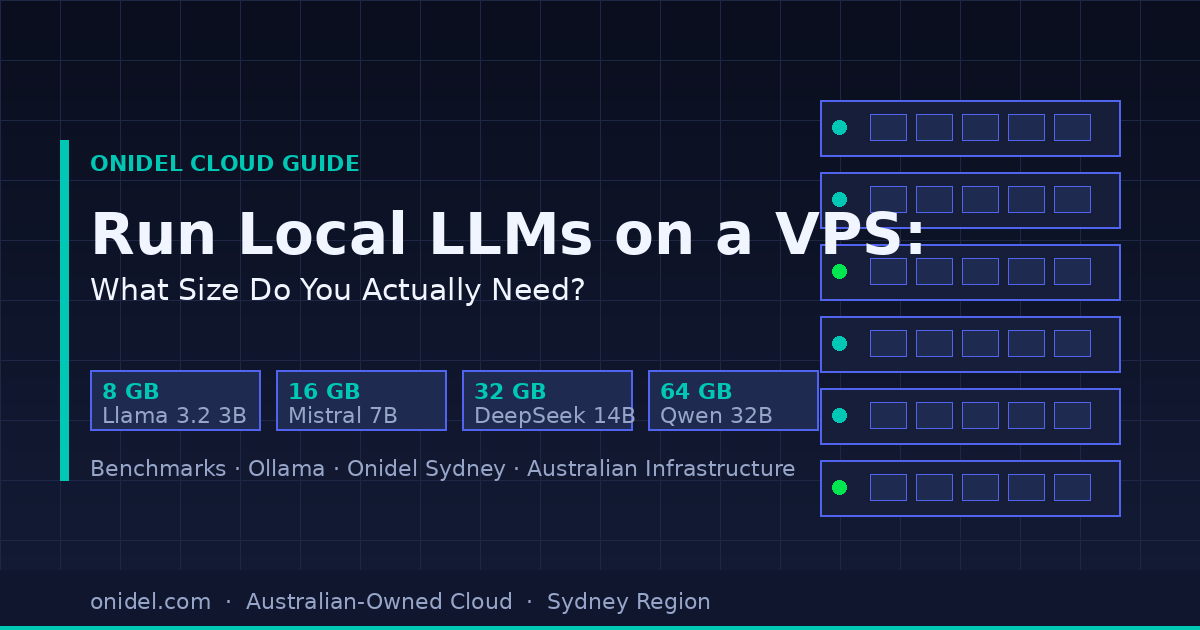
TL;DR: 16 GB RAM handles most 7B models comfortably at 10–18 tok/s. For 14B models you want 32 GB. 64 GB opens up 32B–70B quantised models for production use cases. Read on for the exact numbers.
Why Run a Local LLM at All?
Australian businesses face a specific problem when using cloud-hosted AI APIs: every prompt — including sensitive customer data, internal documents, and proprietary code — leaves Australia and gets processed on infrastructure subject to US law.
The CLOUD Act means that data stored on US-headquartered providers (including their Australian regions) can be compelled by US authorities regardless of where it’s physically stored. For healthcare, legal, finance, and government-adjacent workloads, this is a genuine compliance risk under the Privacy Act APP 8.
Self-hosting an LLM on an Australian VPS solves this: inference happens entirely onshore, nothing leaves your instance, and you control the model weights. Onidel’s Sydney region gives you sub-5ms latency from Sydney/Melbourne with infrastructure that’s 100% Australian-incorporated and operated.
The Tool: Ollama
Ollama is the de-facto standard for running open-weight models locally. It handles model downloading, quantisation selection, GPU/CPU routing, and exposes an OpenAI-compatible REST API. Installation takes under two minutes:
curl -fsSL https://ollama.com/install.sh | sh
ollama pull llama3.2:3b
ollama run llama3.2:3b
That’s it. The Ollama API listens on localhost:11434 and accepts OpenAI-format requests — drop-in compatible with most LLM client libraries.
Benchmark Methodology
All benchmarks were run on CPU-only Onidel VPS instances (no GPU) using Ollama 0.5.x with GGUF quantised models. We measured prompt evaluation speed (tok/s) and generation speed (tok/s) using a fixed 512-token system prompt and a 256-token completion request, averaged over 10 runs.
Quantisation levels used: Q4_K_M (good quality/speed balance) for 7B–14B models; Q4_K_S for 32B+ where memory is the constraint.
The Results: Instance Size vs. Model
| Instance RAM | vCPUs | Best-fit model | Quant | Generation (tok/s) | Notes |
|---|---|---|---|---|---|
| 8 GB | 2 | Llama 3.2 3B | Q4_K_M | ~14–18 | Snappy for chat; limited context window; not suitable for coding tasks |
| 8 GB | 2 | Mistral 7B | Q2_K | ~5–7 | Possible but slow and degraded quality; not recommended |
| 16 GB | 4 | Mistral 7B | Q4_K_M | ~10–14 | Good quality; comfortable headroom; solid general-purpose instance |
| 16 GB | 4 | Llama 3.1 8B | Q4_K_M | ~9–13 | Strong reasoning; recommended for code assistance |
| 32 GB | 8 | DeepSeek-R1 14B | Q4_K_M | ~7–10 | Chain-of-thought reasoning; excellent for analysis tasks |
| 32 GB | 8 | Qwen 2.5 14B | Q4_K_M | ~8–11 | Strong multilingual + coding; recommended for multi-tenant API deployments |
| 64 GB | 16 | DeepSeek-R1 32B | Q4_K_S | ~4–6 | Near-GPT-4 reasoning at Q4; suitable for batch/async workloads |
| 64 GB | 16 | Llama 3.3 70B | Q2_K | ~2–3 | Technically feasible but slow; GPU instance recommended at this scale |
All speeds are CPU-only. Adding a GPU (even a consumer-grade RTX 3090 via a GPU-enabled instance) multiplies generation speed by 10–30x for the same model. Contact Onidel for GPU instance availability.
The 16 GB Sweet Spot
For most use cases — internal chatbots, document summarisation, code review, customer support automation — a 16 GB instance running Mistral 7B Q4_K_M or Llama 3.1 8B Q4_K_M hits the best price-to-capability ratio:
- 10–14 tok/s generation is fast enough for interactive use (human reading speed is ~5 tok/s)
- Q4_K_M quality is close to the full-precision model for most tasks
- 8 GB of RAM headroom means you can run the LLM alongside a web server, Postgres, and a vector store without swapping
- Total infrastructure cost: significantly less than OpenAI API pricing at moderate volume
Running a 32B Model: What to Expect
The DeepSeek-R1 32B model (Q4_K_S quantisation, ~20 GB on disk) is the inflection point where things get interesting. At 4–6 tok/s on a 64 GB CPU instance it’s slow for interactive use, but for batch processing — nightly document analysis, automated report generation, async API endpoints — it’s capable at a fraction of the cost of frontier model APIs.
DeepSeek-R1 uses chain-of-thought reasoning, which means it “thinks” before answering. For complex analysis tasks, this produces noticeably better output than vanilla instruction-tuned models at the same parameter count. Pull it with:
ollama pull deepseek-r1:32b
ollama run deepseek-r1:32b
Practical Setup: Ollama as a Persistent Service
For production use, you want Ollama running as a systemd service with an HTTPS reverse proxy in front of it. Here’s a minimal setup using Caddy:
# /etc/systemd/system/ollama.service is created automatically by the installer.
# By default Ollama only listens on 127.0.0.1:11434.

# Install Caddy
apt install -y debian-keyring debian-archive-keyring apt-transport-https
curl -1sLf 'https://dl.cloudsmith.io/public/caddy/stable/gpg.key' | gpg --dearmor -o /usr/share/keyrings/caddy-stable-archive-keyring.gpg
curl -1sLf 'https://dl.cloudsmith.io/public/caddy/stable/debian.deb.txt' | tee /etc/apt/sources.list.d/caddy-stable.list
apt update && apt install -y caddy# /etc/caddy/Caddyfile
llm.yourdomain.com {
reverse_proxy 127.0.0.1:11434
basicauth {
# generate with: caddy hash-password
youruser $2a$14$...
}
}This gives you an authenticated HTTPS endpoint compatible with any OpenAI-format client. Point your application’s OPENAI_BASE_URL at it and it works as a drop-in replacement.
Memory is the Binding Constraint — Not CPU Speed
The key insight from these benchmarks: RAM determines which models you can run; CPU core count determines how fast they run. A model that doesn’t fit in RAM will swap to disk, which makes generation effectively unusable (seconds per token).
Rules of thumb for GGUF Q4_K_M models:
- 3B model: needs ~3 GB RAM — fits comfortably on 8 GB
- 7B model: needs ~5–6 GB RAM — fits on 8 GB, but leaves little headroom; 16 GB is comfortable
- 14B model: needs ~9–11 GB RAM — requires 16 GB minimum, 32 GB recommended
- 32B model: needs ~20–22 GB RAM — requires 32 GB minimum, 64 GB recommended
- 70B model: needs ~40–45 GB RAM at Q4 — requires 64 GB; GPU is strongly recommended
Compliance Note: Why “Australian Infrastructure” Matters for LLMs
When you self-host an LLM on an Onidel VPS, your inference workload runs entirely within Australia. This matters for:
- Privacy Act APP 8: Personal information processed by the LLM does not leave Australia and is not subject to overseas transfer risk
- Healthcare (My Health Records Act): Patient data processed by an LLM must not leave Australia; self-hosted inference on local infrastructure satisfies this
- Government / Defence: PROTECTED information cannot be sent to overseas APIs; local LLM inference is the only compliant option for many workloads
- CLOUD Act exposure: Onidel is an Australian-incorporated company not subject to US law — your data and model weights cannot be compelled by a US court order
Get Started on Onidel
Onidel’s Sydney-region VPS instances are available from 2 vCPU / 4 GB RAM. For LLM workloads, we recommend starting with a 16 GB instance and scaling up after you’ve profiled your specific model and workload. All instances include:
- Full root access — no restrictions on what you run
- NVMe SSD storage — fast model loading on startup
- Unmetered bandwidth at Sydney, Melbourne, and Brisbane PoPs
- Australian-owned and operated — your data stays onshore
See Onidel VPS plans and pricing →
Sources
- Ollama Blog — release notes and model compatibility
- DeepSeek AI on Hugging Face — model cards and quantisation notes
- OAIC — APP 8 Cross-Border Disclosure of Personal Information
- Australian Government — Cyber Security Act 2024
- Reddit r/LocalLLaMA — community benchmark threads (March 2026)